🩺 Built by a Practising NZ GP

AI scribe for NZ GPs

and more...

Handle complex, multi‑problem consults with ease:

  • Capture by audio; add typed input when needed
  • Get structured notes in seconds; finish on time
  • Upload and resize clinical images during the consult
  • AI Chat: get answers fast from trusted resources
ClinicPro AI Medical Scribe Interface

Thank You forStopping By

A Message from Dr. Ryo Eguchi

Practising GP & Founder

"Like many GPs, I felt increasingly disconnected from why I became a doctor. The constant rush, endless admin, and pressure were taking their toll on me and my patients.

Then I discovered my ikigai: combining my medical expertise with my deep passion for AI and automation. ClinicPro was born from this vision: using smart technology to give GPs back their time, reduce burnout, and restore the joy in patient care."

Dr. Ryo Eguchi - Founder of ClinicPro

Mission: Help GPs leave work on time

ClinicPro empowers New Zealand GPs to reclaim time and clinical focus by automating notes, simplifying referrals and surfacing trusted NZ guidance; all while keeping clinicians in control.

AI Scribe

Capture the consult efficiently. Get structured notes fast

End the Speed vs Quality Dilemma

Most GPs battle speed versus quality: detailed notes take longer; brief notes keep you on time but miss key information. ClinicPro ends this dilemma: clear, structured notes without after‑hours admin.

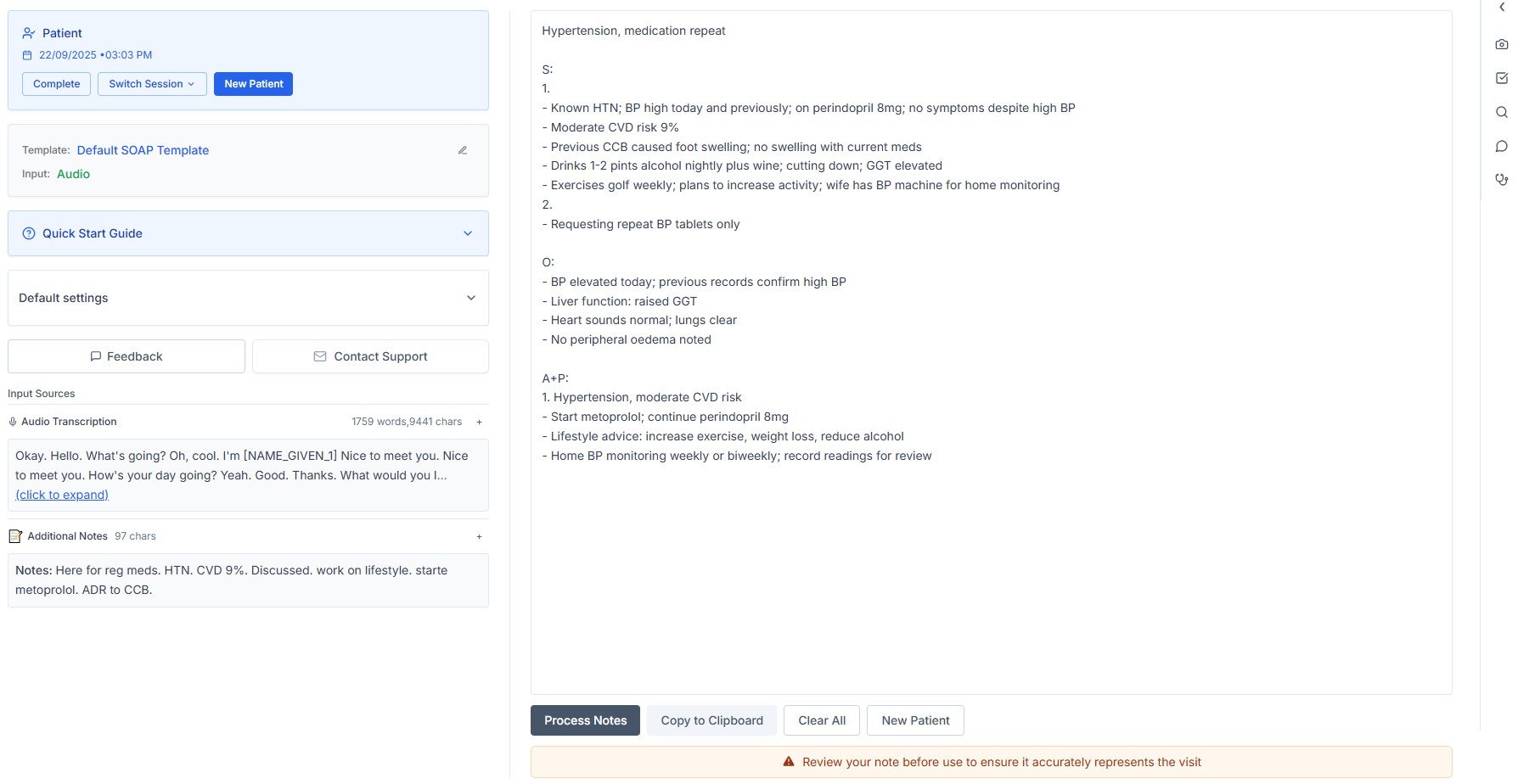
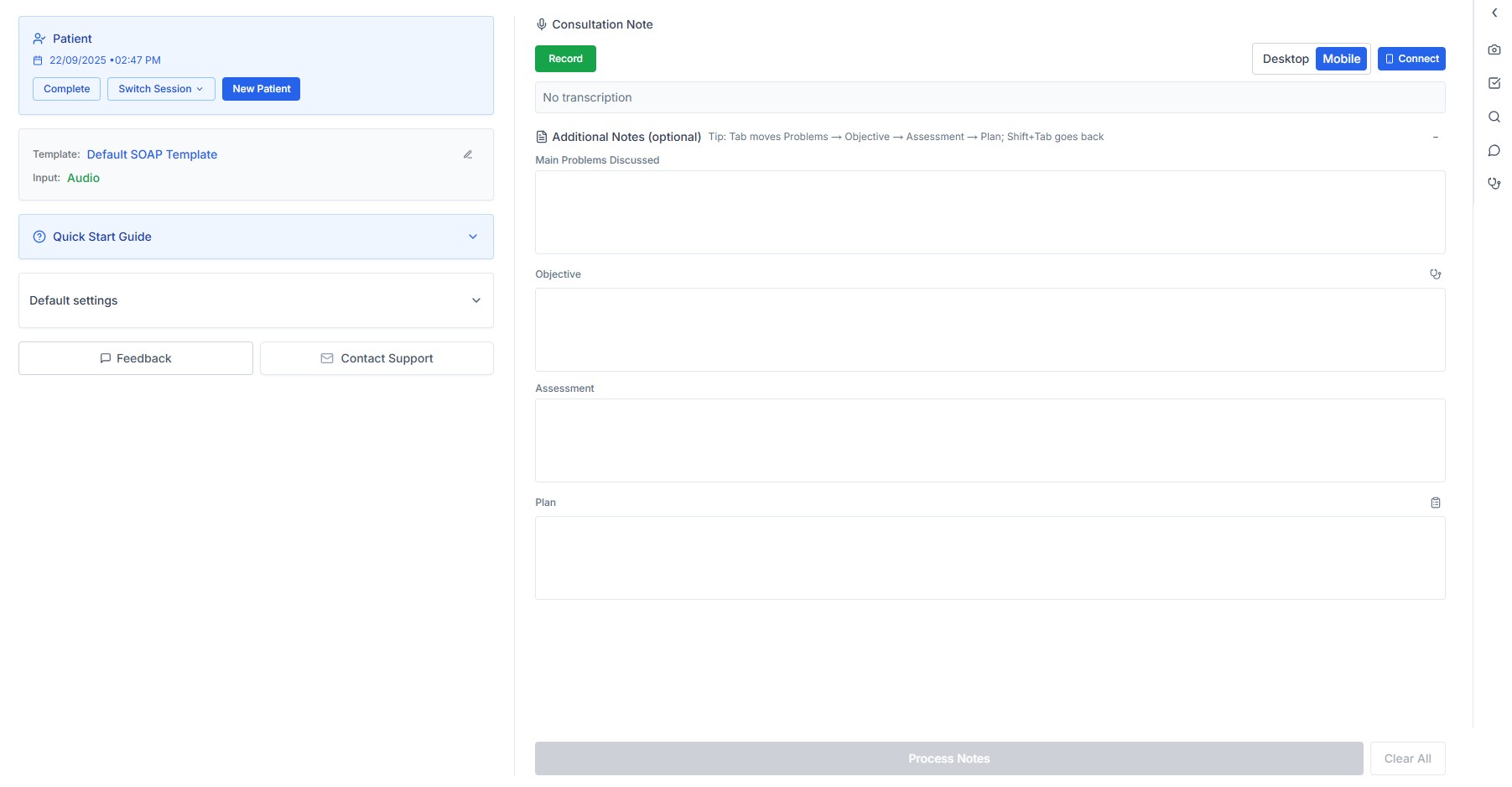
ClinicPro's audio recording captures the subjective; spoken objectives are included. Type objective findings (exam, assessment/Dx, plan) as needed for more control and accuracy; you’re in charge.

  • • Record on mobile or desktop
  • • Mark problems as you go (multi‑problem ready)
  • • Switch templates anytime
Consultation screen showing recording, additional note input, and template switcher
Generated note with editable sections

Review and edit your note

Clean, structured note; you are in charge. Review and edit quickly.

  • • Default template handles most consults; multi‑problem ready
  • • Switch output style (template) when needed
  • • Highly customisable templates: NZTA driver licence (NZTA‑aligned), ACC consult, 6‑week baby check

How it works

1. Start recording (mobile or desktop)
2. Speak naturally; focus on the patient and history
3. Dictate or type in objectives (problems, exam findings, assessment, plan, etc)
4. Review structured draft, make quick edits, finish

Clinical Image

Snap on mobile. Resize automatically.

Why use this

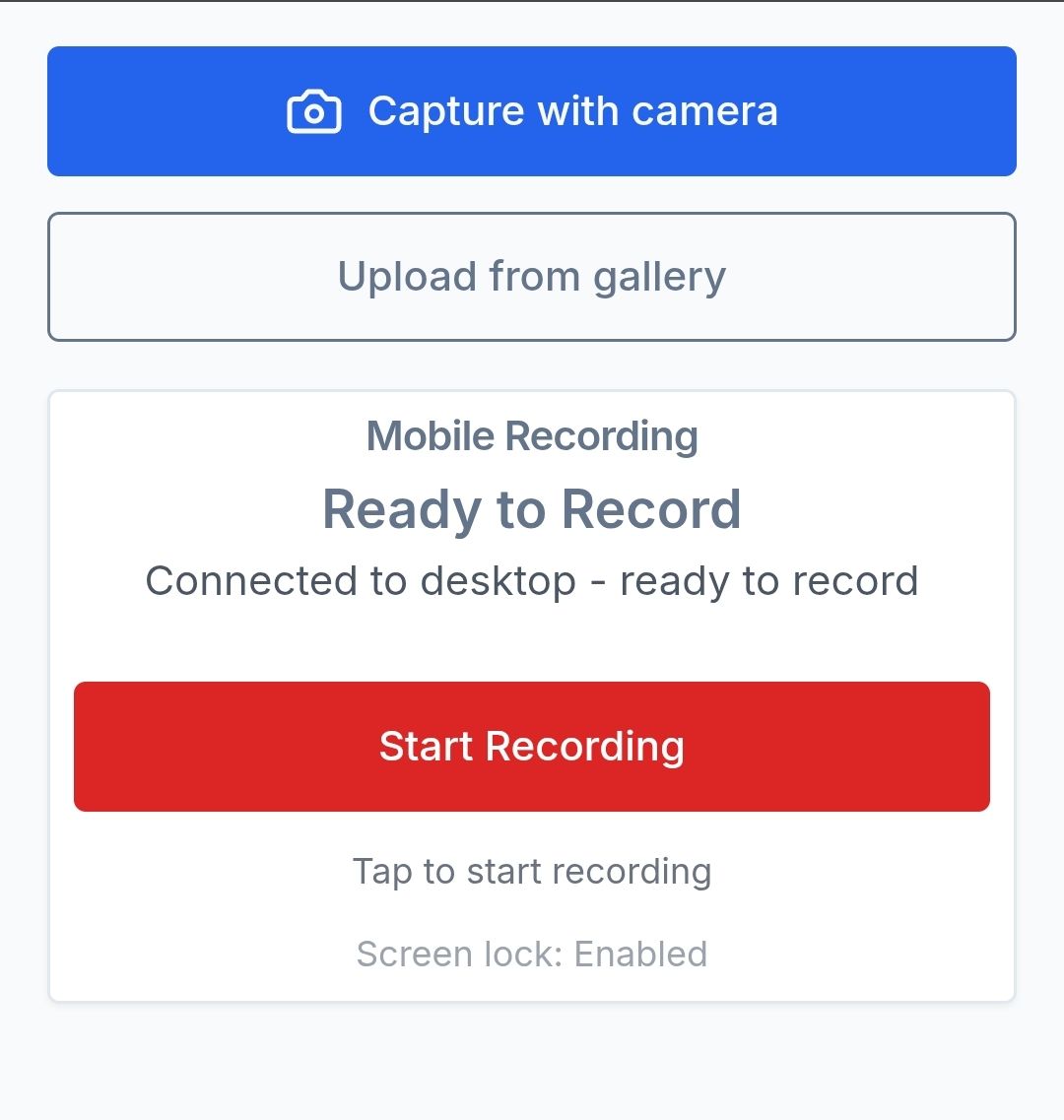
Upload from your phone without saving to your personal gallery. Images are auto‑resized for referrals and ready on your desktop.

  • • Upload from mobile via QR or link
  • • Not saved on GP’s personal phone
  • • Auto‑resize to referral‑friendly size
  • • Ready to download on desktop and attach to PMS/referral
  • • Also supports desktop upload when you’re at your computer
Mobile upload with auto-resize and desktop availability

How it works

1. Open on mobile via QR (or on desktop)
2. Take or upload a photo
3. Auto‑resized to referral‑friendly size
4. Download on desktop and attach to PMS/referral

Search & Chat

Trusted NZ resources at your fingertips

What you can ask

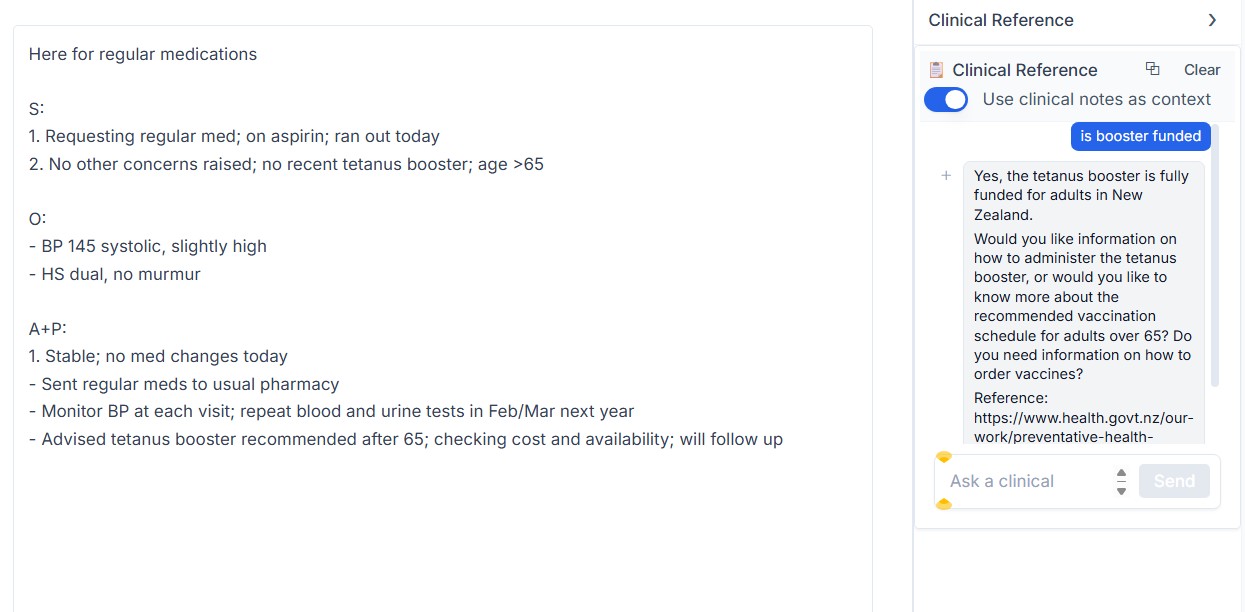
Search NZ resources in one place: like Google, but for GPs. Get trusted references fast, and ask follow‑up questions to refine.

  • • General health/disease questions
  • • Referral info (where/when/how)
  • • Patient info (Healthify)
  • • Drug info (NZ Formulary)

Not intended for clinical judgement or decision‑making. Verify with the cited sources.

Chat UI showing an answer with Healthify and NZ Formulary references

How it works

1. Type keywords or a question
2. Get a concise answer with NZ resource references
3. Open sources in one click

AI scribe for NZ GPs

Structured notes, referral‑ready images, and NZ‑referenced answers; fast

âś“ Notes in minutes
âś“ Photos sized for referrals
âś“ Trusted NZ sources, cited
Built by a practising NZ GP